> For the complete documentation index, see [llms.txt](https://aida-7.gitbook.io/aidapp/llms.txt). Markdown versions of documentation pages are available by appending `.md` to page URLs; this page is available as [Markdown](https://aida-7.gitbook.io/aidapp/listing-on-aida-update-info/how-to-list-token-on-aida.md).
# How to List Token on Aida?
## How to List Your Token on AIDA
Before running a campaign or trading on AIDA, your token needs to be listed in the platform.
If you cannot find your token on the platform - follow steps below.
Listing makes your token visible across the trading terminal, LaunchZone, and MindSharing campaigns.
You can reach the Token Info Update form from:
* The Trading Terminal (on your token page).
* The LaunchZone dropdown menu in the top bar.
* The MindSharing campaign form (if your token is not yet listed).
### Step-by-Step Guide
{% stepper %}
{% step %}
### Choose Supported Chains
* Select the chains where your token is deployed.
* You can also select chains where you plan to deploy later.
* Example: if your token will launch on Solana in the future, you can select Solana and check Pre-TGE.
{% endstep %}
{% step %}
### Enter Basic Token Details
* Token Name – Full project name.
* Example: *AIDA Hub*
* Token Ticker – Short symbol.
* Example: *AIDA*
* Total Supply – Optional, enter if you want supply visible to users.
* Example: *1 000 000 000*
{% endstep %}
{% step %}
### Provide Token Addresses
* For each chain selected, paste your contract address and click Save.
* If your token isn’t deployed yet, check the Pre-TGE box.
* This allows you to run campaigns or promotions even before launch.
* Example: You plan to launch $AIDA on Ethereum in Q4 but want to run a Pre-TGE campaign now.
{% endstep %}
{% step %}
### Upload Visuals
* Logo (1:1) – Upload a square logo (JPG/PNG/WEBP/GIF, <2MB).
* Banner (1:3) – Upload a banner (JPG/PNG/WEBP/GIF, <4MB).
{% endstep %}
{% step %}
### Add Token Description
* Provide a short, clear description of your token and project (max 256 characters).
* Example: *“AIDA is an AI-powered trading and launch platform that helps users trade, launch, and grow tokens seamlessly across multiple chains.”*
{% endstep %}
{% step %}
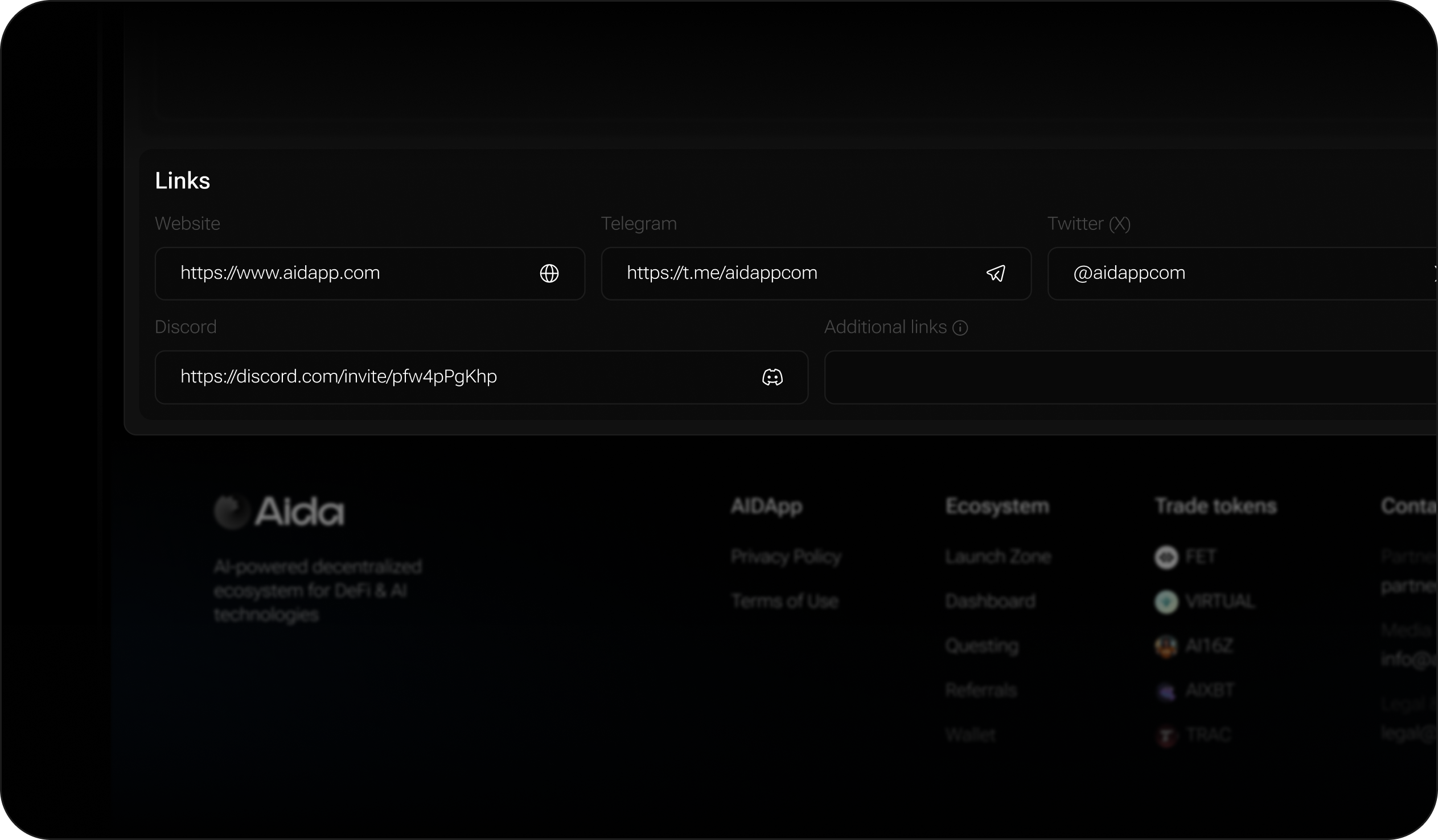
### Add Links
Include official project links so users can easily connect:
* Website
* Telegram
* Twitter (X)
* Discord
* Additional links (Medium, GitBook, etc.)
{% endstep %}
{% step %}
### Pay the Listing Fee
* Listing costs $150 USDT.
* The fee is deducted from your AIDA Account Balance.
* If you don’t have enough funds, you’ll be prompted to deposit via:
* Internal AIDA wallet, or
* External wallet connection.
{% endstep %}
{% step %}
### Token Goes Live
Once payment is confirmed, your token is:
* Visible on the Trading Terminal.
* Available for MindSharing campaigns.
* Linked to your socials, visuals, and description for discovery.
{% endstep %}
{% endstepper %}
### Example Scenario
* Token: AIDA Hub ($AIDA)
* Chains: Ethereum (live) + Solana (Pre-TGE)
* Supply: 1B AIDA
* Visuals: Square logo + banner uploaded
* Description: *AI-powered multi-chain trading & token launch platform.*
* Links: Website, X, Telegram, Discord
Result → $AIDA becomes tradable on Ethereum immediately, while also being eligible for Pre-TGE campaigns on Solana.
.png?alt=media&token=2911c91d-989c-4c97-836d-93cc7b806008)