> For the complete documentation index, see [llms.txt](https://aida-7.gitbook.io/aidapp/llms.txt). Markdown versions of documentation pages are available by appending `.md` to page URLs; this page is available as [Markdown](https://aida-7.gitbook.io/aidapp/mindshare/how-to-launch-your-campaign-for-projects.md).
# How to Launch Your Campaign? (for Projects)
Launching a MindSharing campaign on AIDA is simple and transparent. Follow these steps to set up your campaign, define rewards, and engage KOLs and community instantly.
### What to Prepare
Before starting, have to know and prepare the following:
* **Token Info** – Chain, contract, name, ticker, supply.
* **Visuals** – Campaign image (≤2MB), optional banner/logo.
* **Campaign Details** – Campaign name, goal (≤150 chars), keywords.
* **Reward Pool Budget** – Decide pool size and reward currency (see list below).
While filling the launch form you will need to set:
* **Scoring Rules** – Posting delay, KOL vs. community balance.
* **Optional Quests** – Twitter, Telegram, Discord, or custom tasks.
> 🔑 If your token is not yet on AIDA, you’ll need to update info first (see below).
***
### Reward Pool Tokens
You can fund your reward pool in any of the following network/tokens:
* **Ethereum** (ETH, USDT)
* **BNB Chain** (BNB, USDT)
* **Solana** (SOL, USDT)
* **TON** (TON, USDT)
* **PointPay** (PXP)
* **Avalanche** (AVAX, USDT)
* **Chiliz** (CHZ)
* **Tron** (TRX)
* **Base** (ETH L2, VIRTUAL)
* **Lumia** (LUMIA)
* **Core** (CORE)
* **Cronos** (CRO)
* **Berachain** (BERA)
* **Scroll** (ETH L2)
* **Taiko** (ETH L2)
* **Linea** (ETH L2)
* **Polygon** (POL, USDT)
* **Arbitrum** (ETH L2)
* **Algorand** (ALGO)
More networks and tokens will be added soon.
### Step-by-Step Guide
{% stepper %}
{% step %}
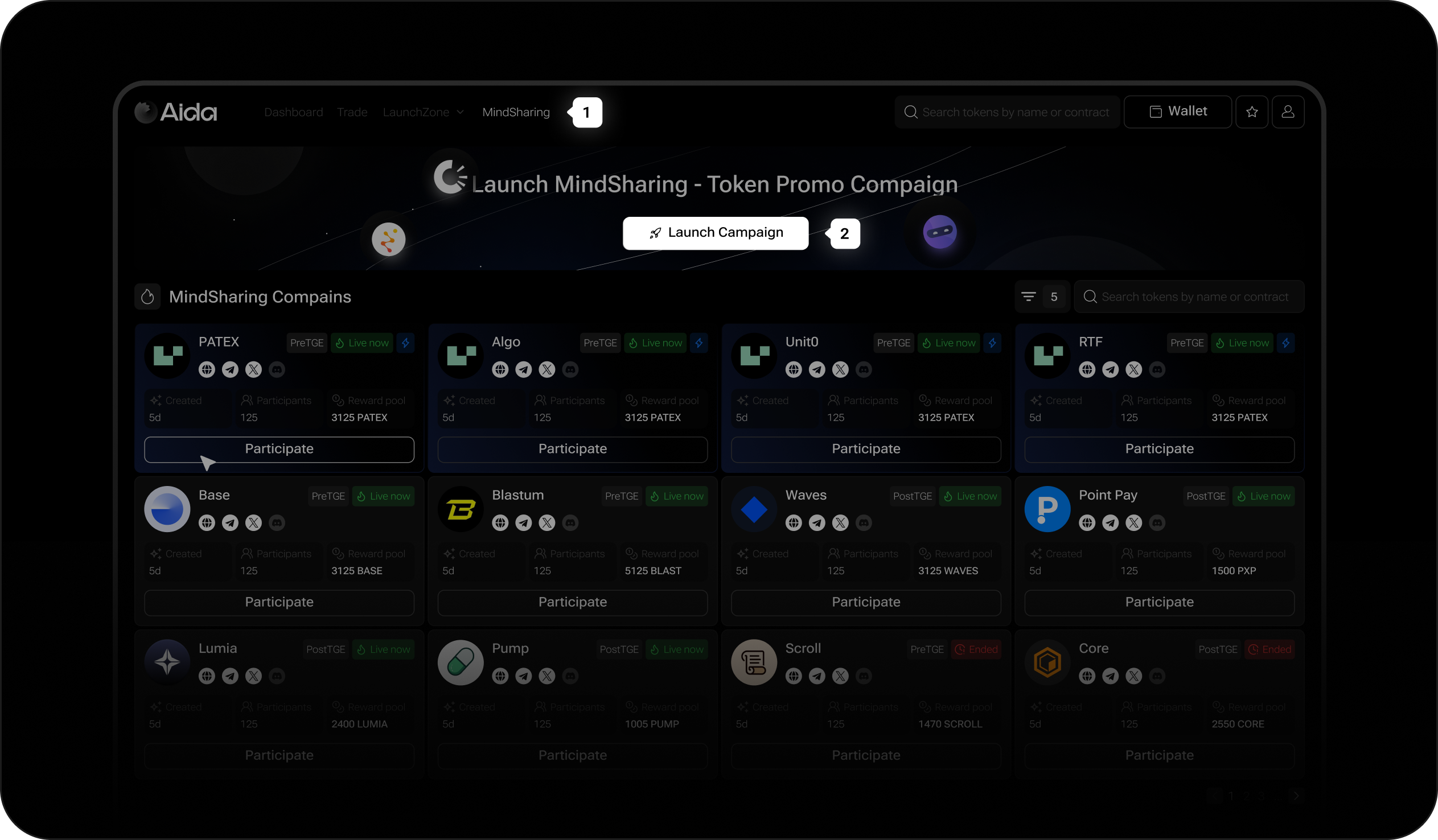
### Open the Launch Form
* Go to MindSharing from the top menu.
* Click Launch Campaign.
{% endstep %}
{% step %}
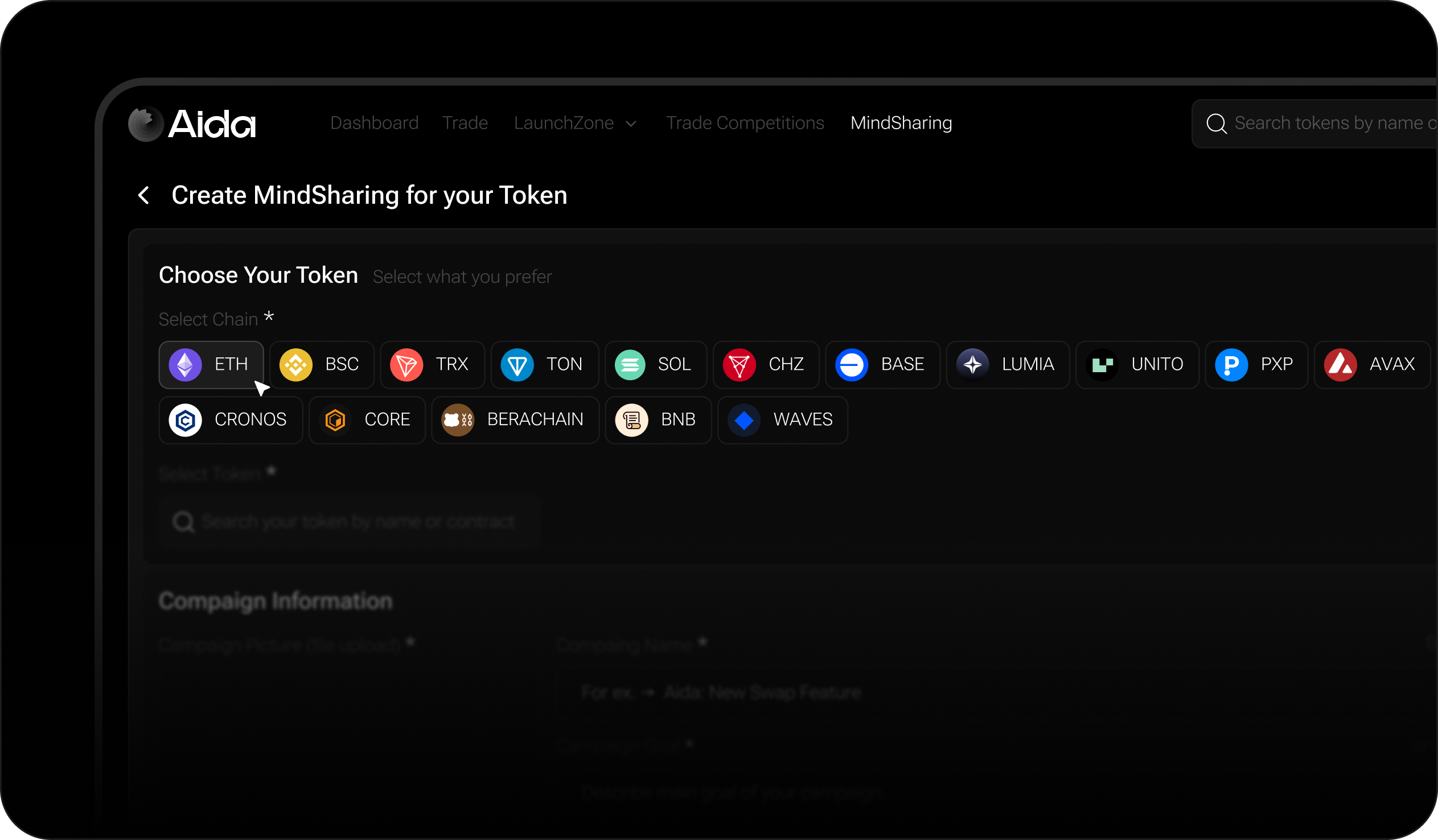
### Select a Chain
Choose the blockchain where your project token (not reward pool token but the token you want to promote) is deployed.
{% endstep %}
{% step %}
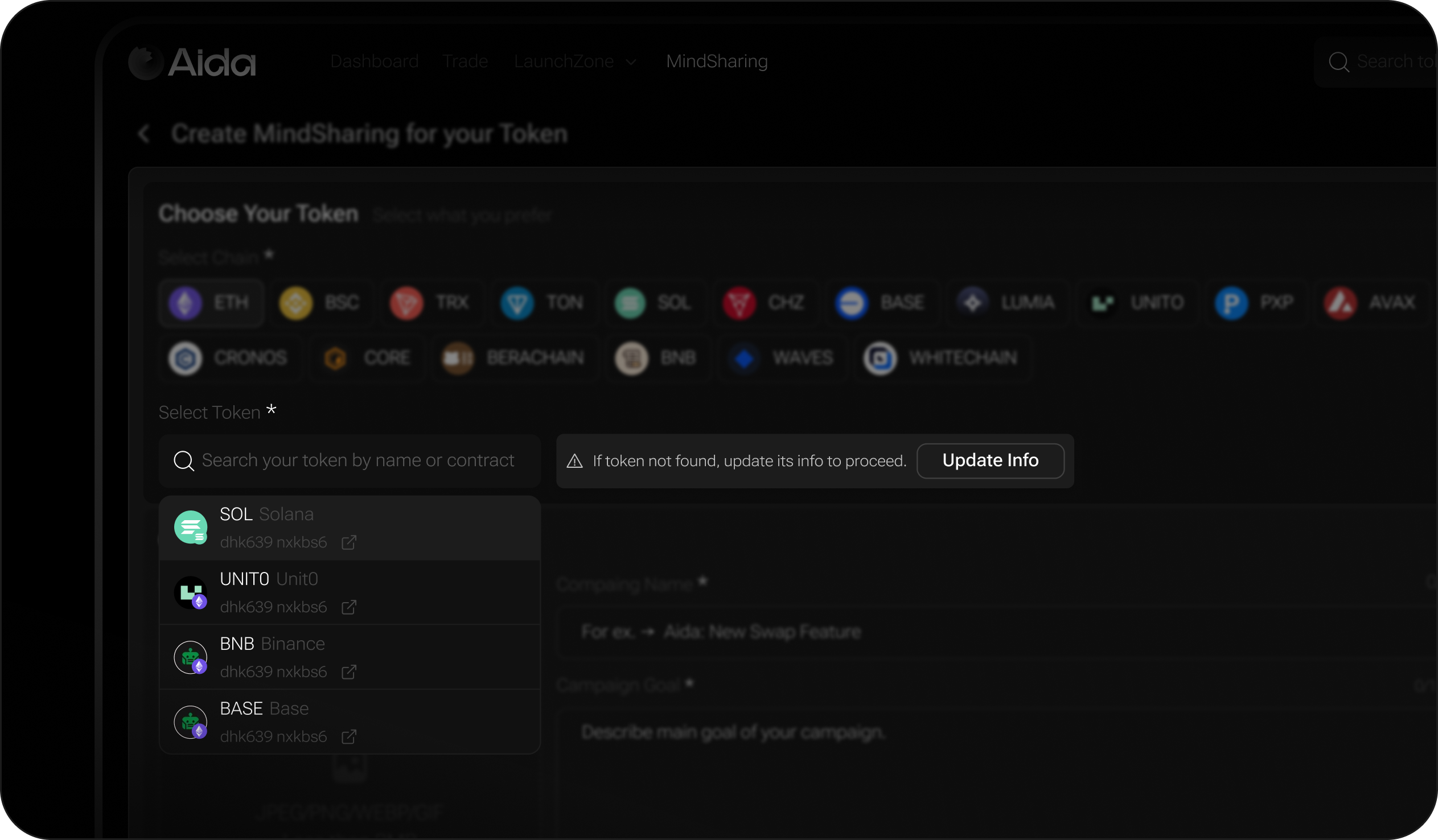
### Select Your Token
* Search for your token in the search bar.
* If your token is not found, click **Update Info** and provide details (name, ticker, supply, contract address, visuals, and links).
{% endstep %}
{% step %}
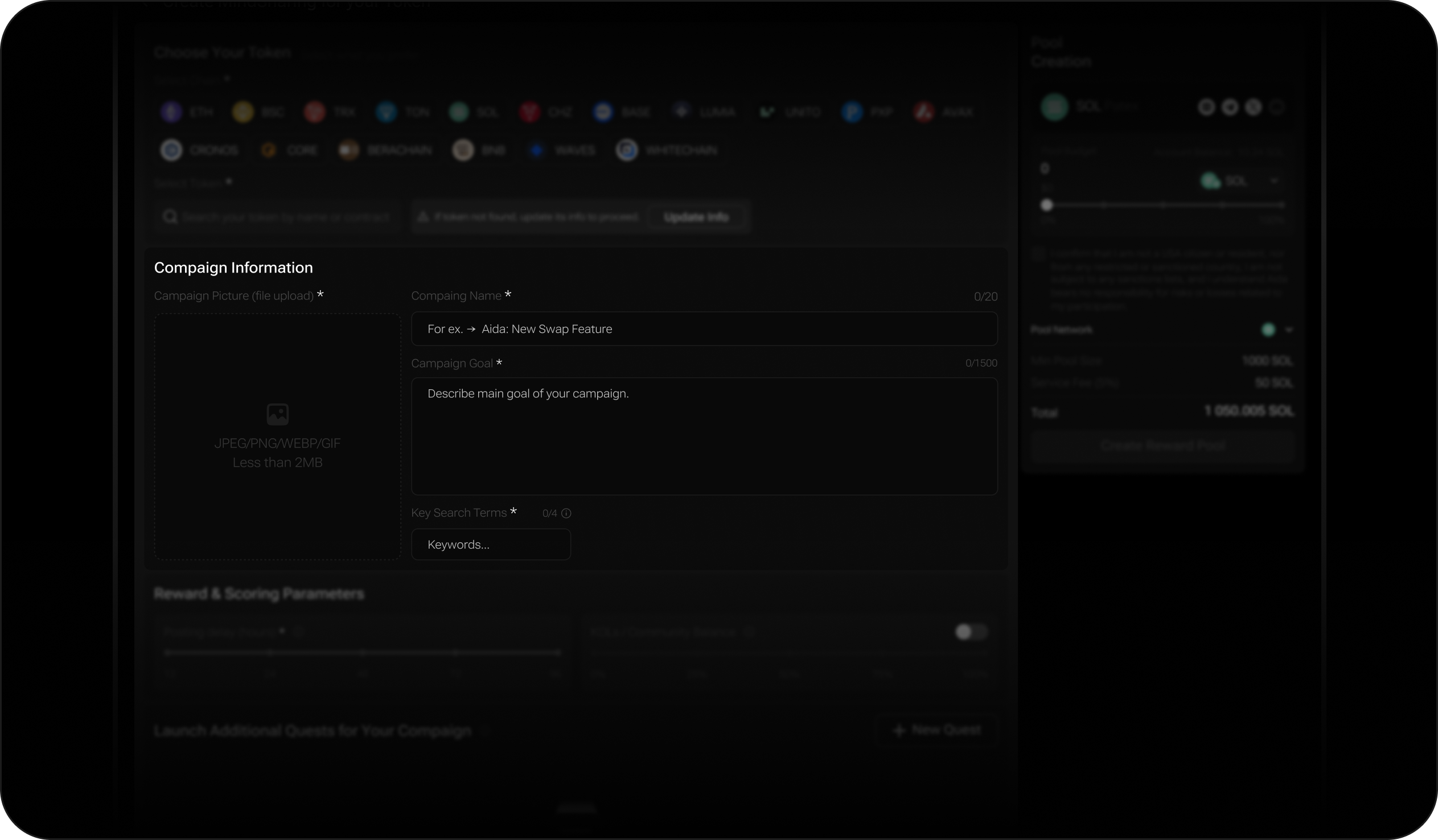
### Fill Campaign Information
* Upload a campaign image (≤2MB).
* Enter campaign name.
* Write a short campaign goal (≤150 chars).
* Add keywords for discoverability.
{% endstep %}
{% step %}
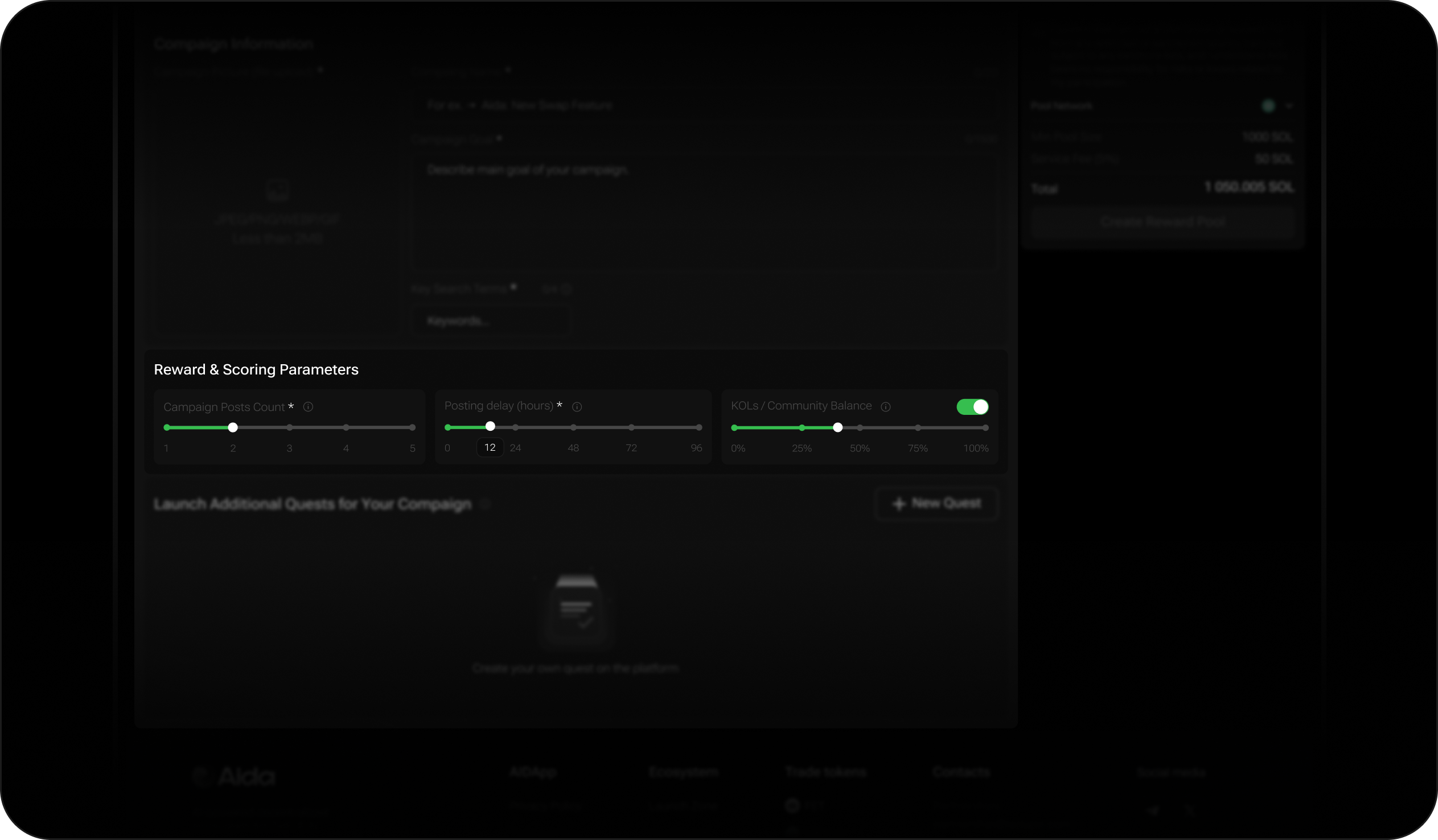
### Set Reward & Scoring Parameters
* Campaign Posts Count - number of posts available per user within the campaign.
* Posting Delay – Defines how often KOLs can post.
* Example: if set to 24h, each KOL can only submit 1 post every 24 hours.
* KOLs / Community Balance – Adjust the ratio of participants you want:
* More KOLs = higher reach through strong influencer accounts.
* More Community = broader participation from smaller accounts.
{% endstep %}
{% step %}
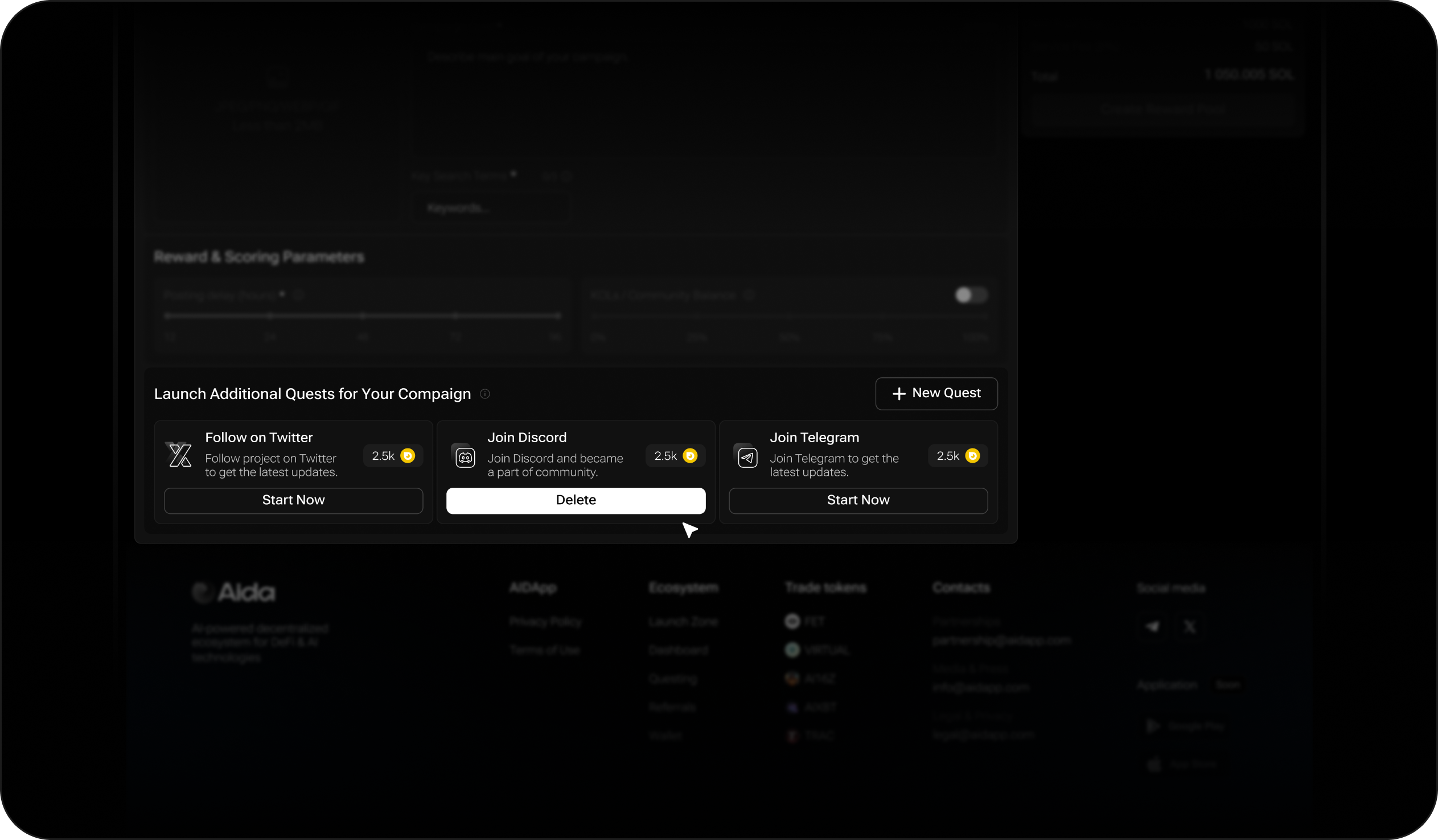
### Add Quests (Optional)
Projects can add extra quests to boost visibility. Examples:
* Follow on Twitter – Provide account link.
* Comment on a post – Provide tweet link.
* Retweet a post – Provide tweet link.
For each quest, you must define:
* Quest type.
* Target link.
* Reward per user (in reward pool tokens).
{% endstep %}
{% step %}
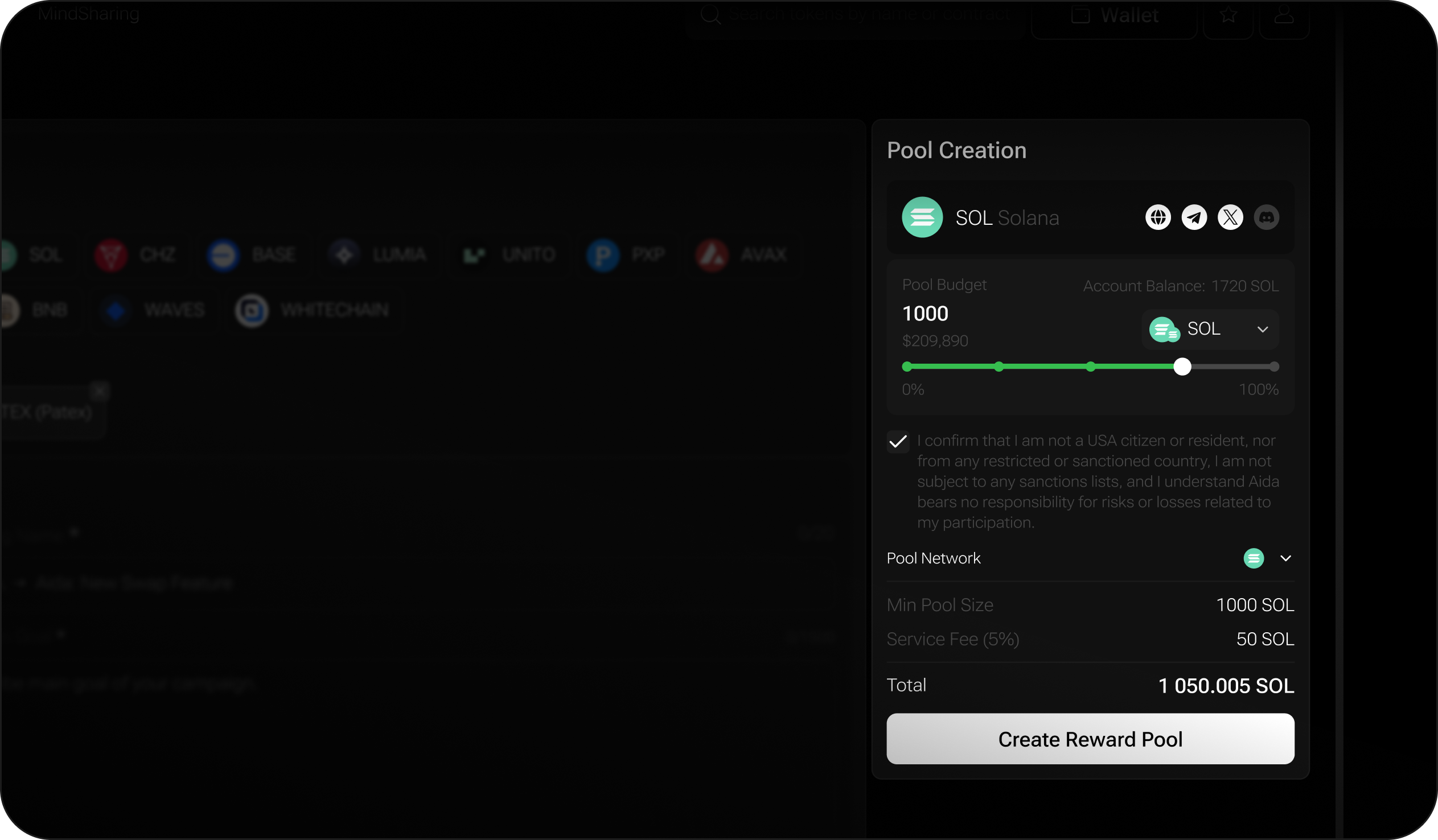
### Fund the Reward Pool
* Define pool size in your chosen token.
* Service fee = 5% of reward pool.
* Funds must be available on your AIDA Account Balance.
* If not, you’ll be prompted to deposit via AIDA internal wallet or external wallet.
{% endstep %}
{% step %}
### Launch Campaign
* Review all details.
* Confirm reward pool funding + service fee.
* Click Launch Campaign.
* Your campaign is now live! 🚀
{% endstep %}
{% endstepper %}
### Final Checklist
✅ Token listed on AIDA;
✅ Campaign info completed;
✅ Scoring parameters set;
✅ Quests added (if needed);
✅ Reward pool funded (incl. 5% fee).